Colour Studio
Experience colour first. Take it into the world.
Learn colour through predictions, experiments and play. Follow a guided journey from what you see to a palette you can explain and specify.
- Free
- No account
- iOS 17 or later
- iPhone and iPad
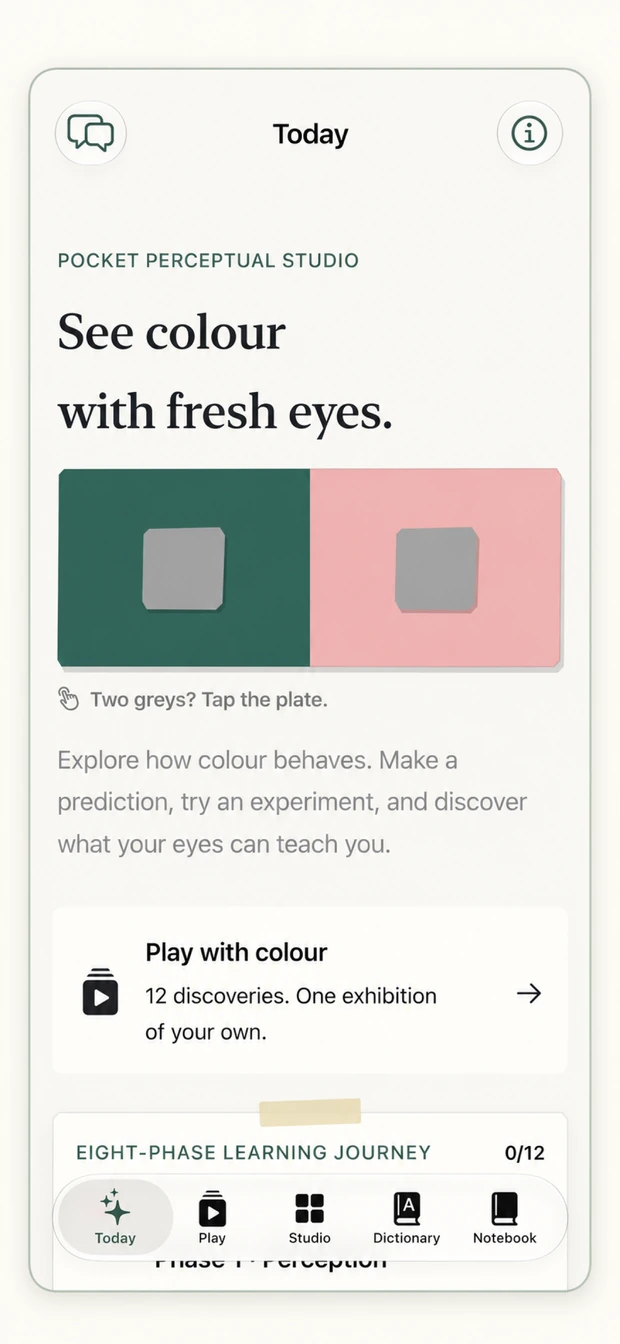
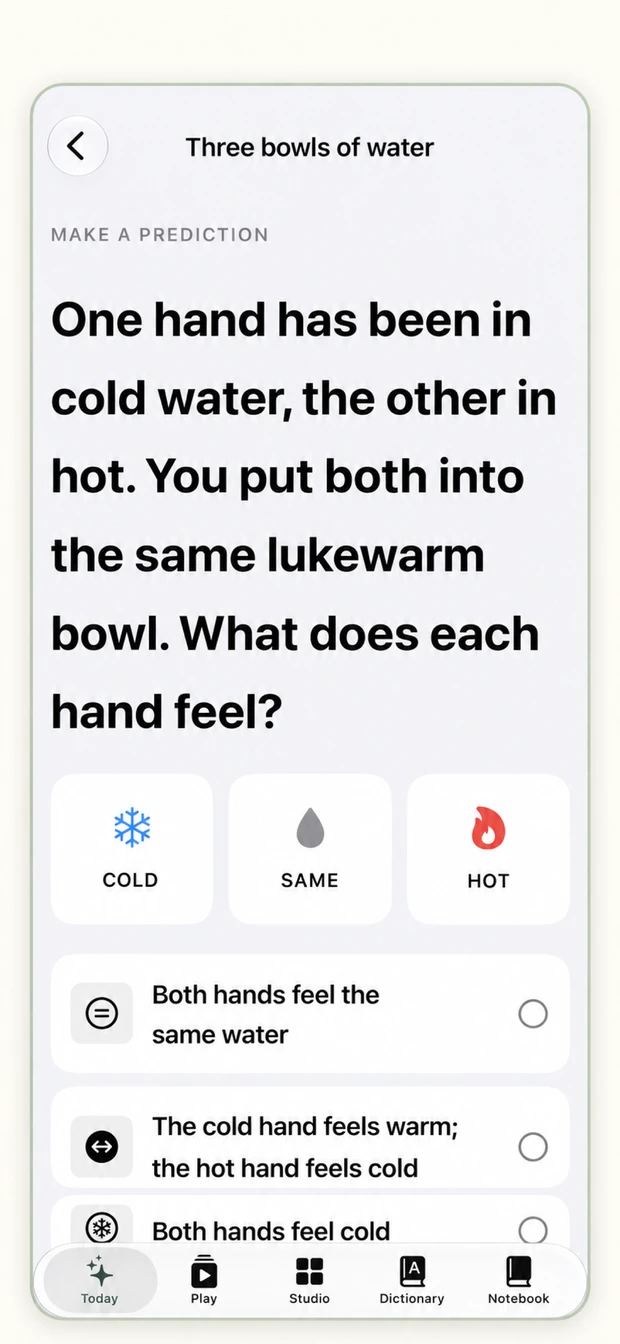

Point at a red pin to read the crit
Knowing the words is not the same as seeing. Colour changes with its surroundings. Try an experiment before reading the explanation, then use the idea in a palette, a poster or a physical colour brief.
Which centre is lighter?
Decide first. Then hold the button and take the surroundings away.
Colour Studio asks for a prediction before it explains anything. This is the same move, in a browser.
From a first guess to a better decision.
Make a prediction
Begin with what you think will happen. Try an experiment and compare the result with your expectation.

Test it in the room
Follow a field task or use Camera Lab to observe colour in the light around you.

Explain the choice
Use the Dictionary and Palette Stylist, then record a physical reference and proof plan for a specification.
See the journey, step by step.
The current app, from your first prediction to observations in the room. The phone follows the screen you are reading.
- 01
Jump in anywhere
The open Studio stays available from the first launch. If an exercise feels hard, the phase before it has the idea you need.
- 02
Follow eight phases in order
Perception, light, vision, attributes, relationships, interaction and meaning, followed by Screen to print. The journey runs from first observation to physical material.
- 03
Make a prediction
Commit to an observation before the explanation.
- 04
Bring it into teaching
An optional classroom pilot supports baseline, post and delayed checks, an unseen brief and deliberate, private export.

- 05
Your display is part of the experiment
A skippable 20-second check asks for neutral room light, brightness near the middle and Night Shift and True Tone paused, then shows six grey tones so you can confirm your display separates every step.

- 06
Return to the idea
Eighteen review cards revisit concepts at spaced intervals. Your predictions and observations remain local.
- 07
Take it into the room
Field tasks send you after a colour under real light, or ask you to rescue a poster, measured with real WCAG contrast ratios.
Take the idea into print.
Learn to see a colour, choose its role and explain how it should reach a physical surface.
Screen to print
Five guess-first stations explore press gamut, paper, viewing light, tolerance and workflow order. Finish with a practical colour specification.
Palette Stylist
Try five client briefs and four palette roles across five applications, with greyscale, colour-vision and print previews.
Make a specification
Record CIELAB D50 values, a physical reference, tolerance and proof plan. Export a sheet, text or a printable PDF test page.
Dictionary, review and classroom tools
A Dictionary to keep
Look up 54 colour terms and all 42 paper swatches, with practical notes and routes back to the exercises.
Play through 12 missions
Three creative rooms. The sorting room orders papers by lightness and intensity, the illusion room changes the surroundings, the print room repairs poster contrast.
Keep an exhibition
Every completed mission adds a composition to a personal exhibition. Hints, undo and replay are there. No timers, no lives to lose.
Your screen is not the standard. Print and lighting previews are teaching estimates. Confirm production colour with a physical reference and an appropriate proof.
Leave room for teaching.
No account and no network calls. Studies and reflections stay in the Notebook until a student chooses to share one for critique.
- Structure
- Eight phases · 12 Play missions · 54 terms
- Devices
- iPhone and iPad · iOS 17 or later
- Access
- No account · No network calls
See colour with fresh eyes.
Free on the App Store for iPhone and iPad, with no account.
Good to know.
Screen and print previews are teaching estimates. Confirm production colour with a physical reference and an appropriate proof.
Colour Studio is a learning tool. Display conditions and room lighting change what you see; the setup check cannot calibrate a screen.
Simultaneous-contrast scores and print-risk previews are model estimates, not measurements of the learner or a production proof.
The camera observes rendered colour rather than measuring a material spectrum.
No licensed partner colour data is included.
Learning outcomes need evidence from learners, beyond completion alone.
Three releases in three months.
What changed once people used it. All releases ↗
Arrives on iPhone and iPad.
The studio’s first App Store release. Learn colour by doing it first.
Colour Studio adds Play.
Twelve colour missions across three rooms, a personal exhibition, and a cleaner look for iPhone and iPad.
From light to material.
Eight phases, the Dictionary, Palette Stylist, printable specifications and a private classroom pilot.
See colour with fresh eyes.
- Free
- iPhone and iPad
- iOS 17 or later
- No account