Three ways a layer can behave
Dynamic moves and collides under the solver. Passive is a fixed floor, wall or obstacle. Kinematic follows the animation you already made while pushing the Dynamic bodies around it.
Let it settle.
Keep the keyframes.
A physics panel for After Effects. Turn 2D layers into bodies that fall, bounce and collide, watch the result inside the panel, then bake it to ordinary Position and Rotation keyframes you can still edit by hand.
CEP extension · After Effects CC 2019 to 2026 · macOS and Windows · MIT
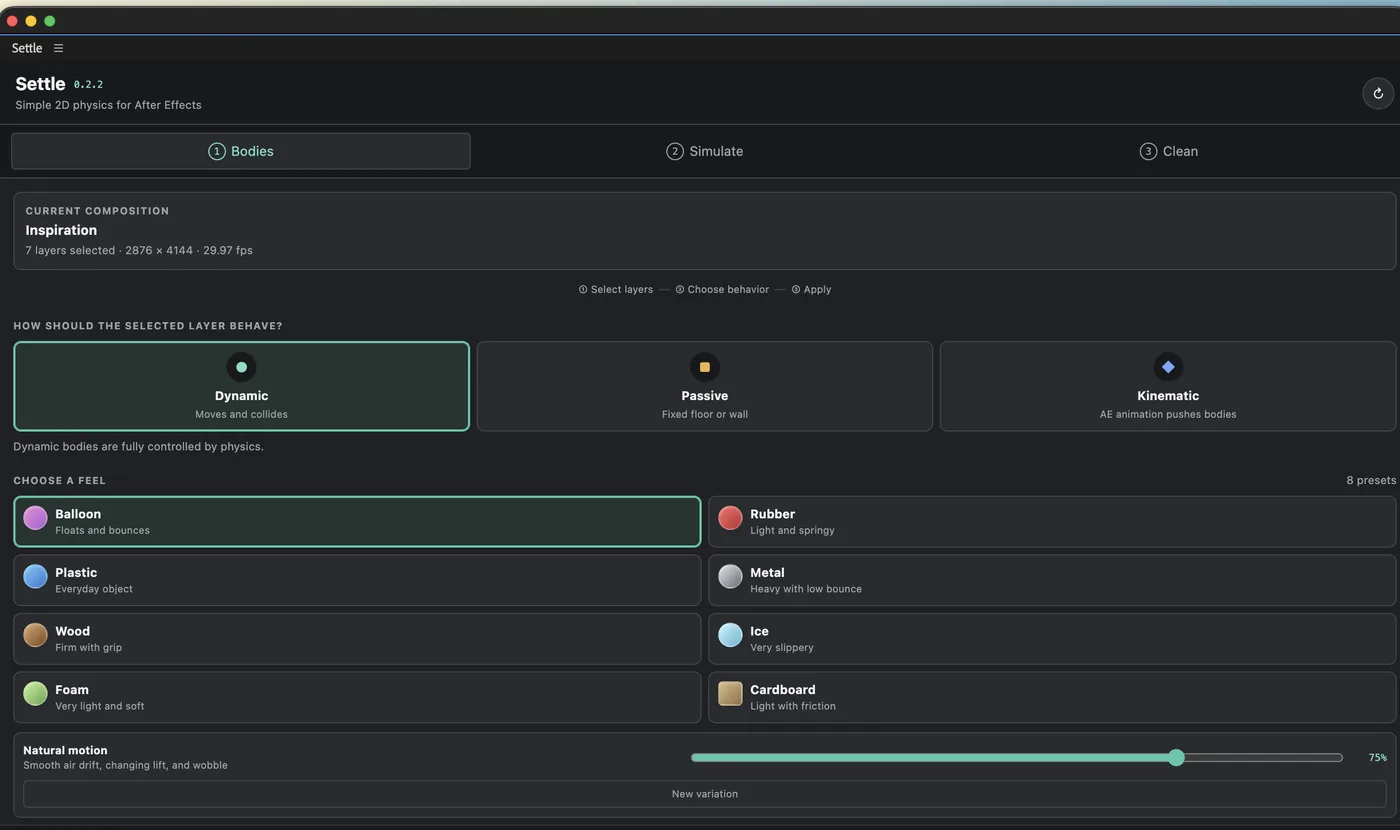
Choose how the layer behaves, pick a feel, then apply.
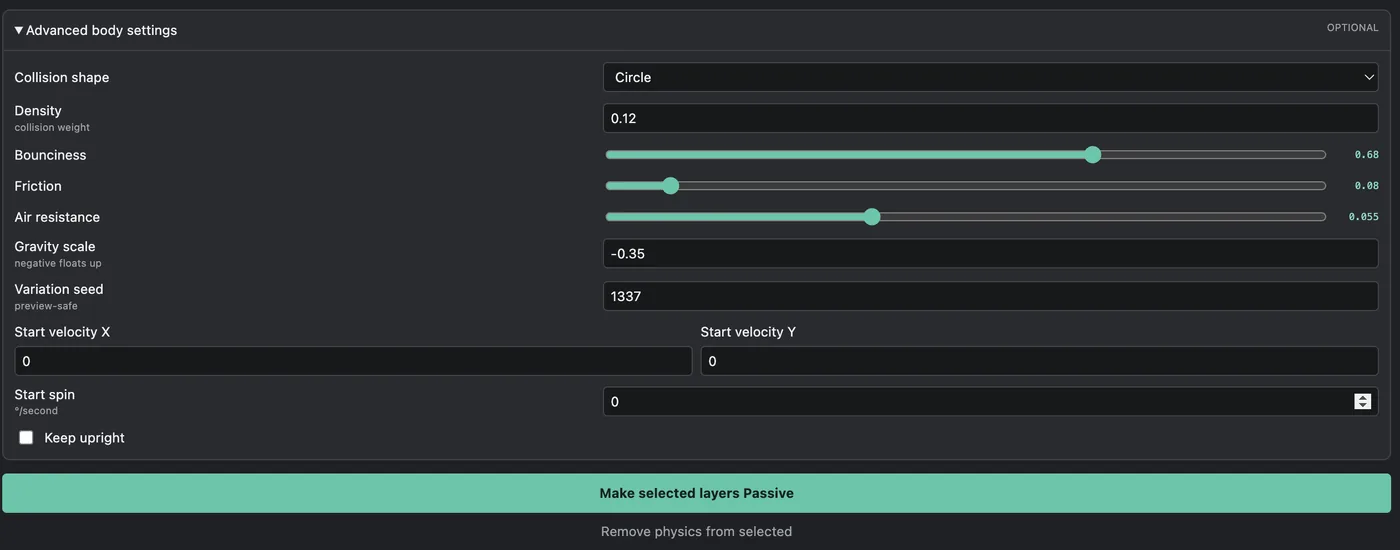
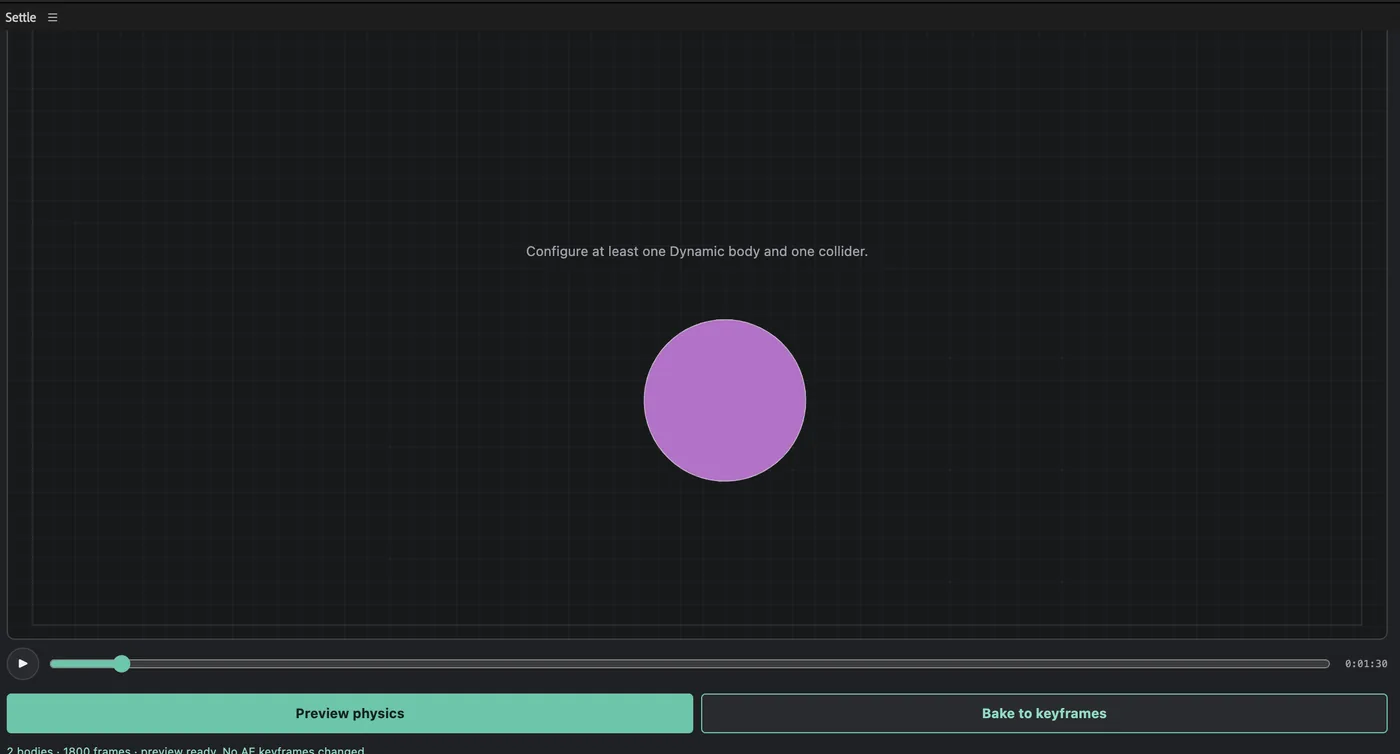
Every preset value stays editable, and the simulation runs in the panel before anything is committed.
Falling, bouncing and colliding usually means either a paid plugin or keyframing the motion by hand and hoping it reads as weight. Settle takes the middle path. Choose how a layer should behave, pick a feel, preview it, and if it looks right, bake it. What lands in the timeline is standard Position and Rotation keyframes, so the simulation stops being a black box the moment it is done.
Dynamic moves and collides under the solver. Passive is a fixed floor, wall or obstacle. Kinematic follows the animation you already made while pushing the Dynamic bodies around it.
Balloon, Rubber, Plastic, Metal, Wood, Ice, Foam and Cardboard. Artist-friendly starting points rather than laboratory measurements, and every value underneath is yours to change.
The simulation runs inside the panel. Previewing does not touch After Effects, so you can keep trying until the motion reads right and lose nothing if it does not.
Natural motion adds drift, lift and wobble suited to the preset. The seed is saved per layer, so previewing again or baking the same preview gives the same motion instead of fresh jitter.
A bake writes plain Position and Rotation keys and wraps the whole thing in a single undo group. The Clean tab reduces the keyframe count afterwards and reports the simplification error it measured, so you decide how much smoothing is acceptable rather than trusting a number you cannot see.
After Effects CC 2019 to 2026, macOS or Windows
Matter.js 0.20.0, bundled offline. No account or network
Run the installer, quit After Effects fully, reopen, then Window > Extensions
Version 0.2.2 builds bodies from circles and rotated rectangles taken from visible layer bounds. Arbitrary mask contours, concave shapes, joints, liquids and soft bodies are not simulated yet. Only unparented 2D layers are supported; parented layers, 3D layers, cameras and lights are refused with a message rather than handled quietly. Existing transform expressions and separated Position dimensions block a bake instead of being overwritten.
Product support