Remember the stop.
Keep the place, capture time and reported location accuracy with the photo you want to come back to.
Keep the photo. Keep the details.
A field camera that keeps the details with the photo. Capture measured location, time and notes, then bring the visit together in a PDF report.
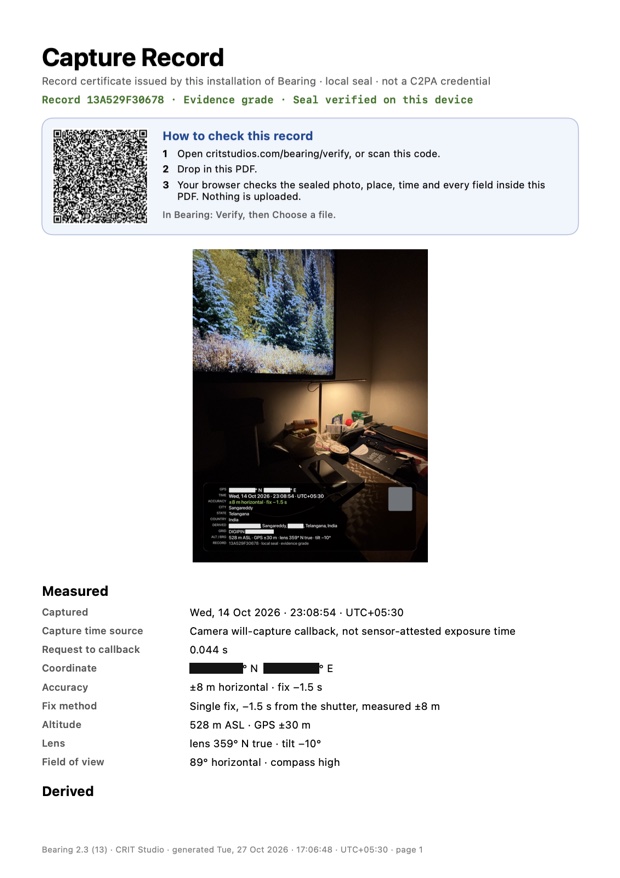 From a photo to a useful recordSee a real capture and its report ↓
Try it:
Point at a red pin to read the crit
Where was this? When was it taken? What should someone notice? Add the answers while they are fresh, so the next person receives a photograph they can understand.
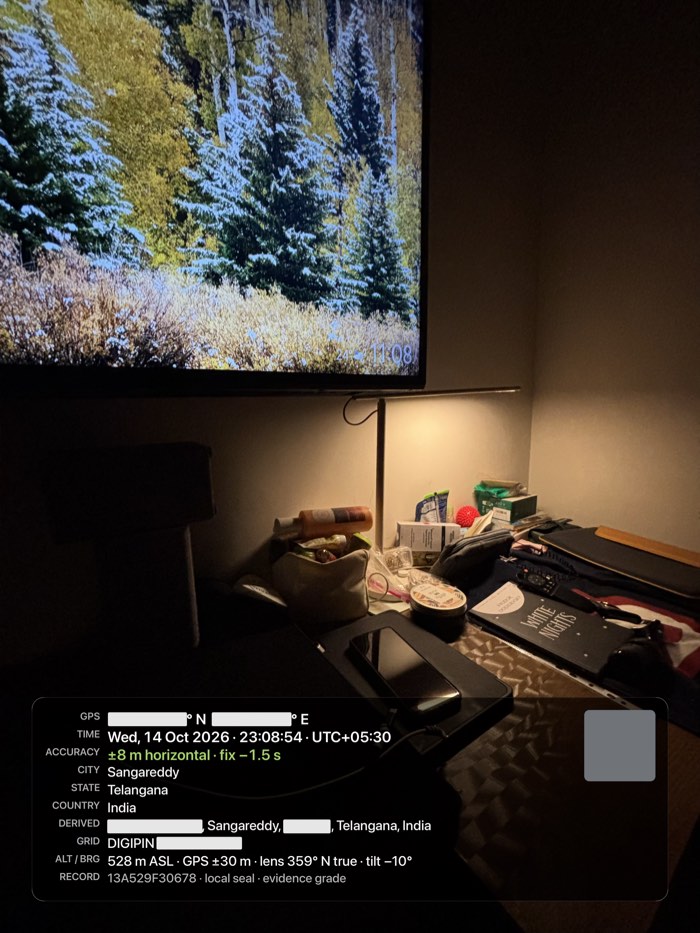
A night shot on an iPhone 15 Plus, from the record Bearing sealed. Point at a pin to read the stamp, or open any image larger.
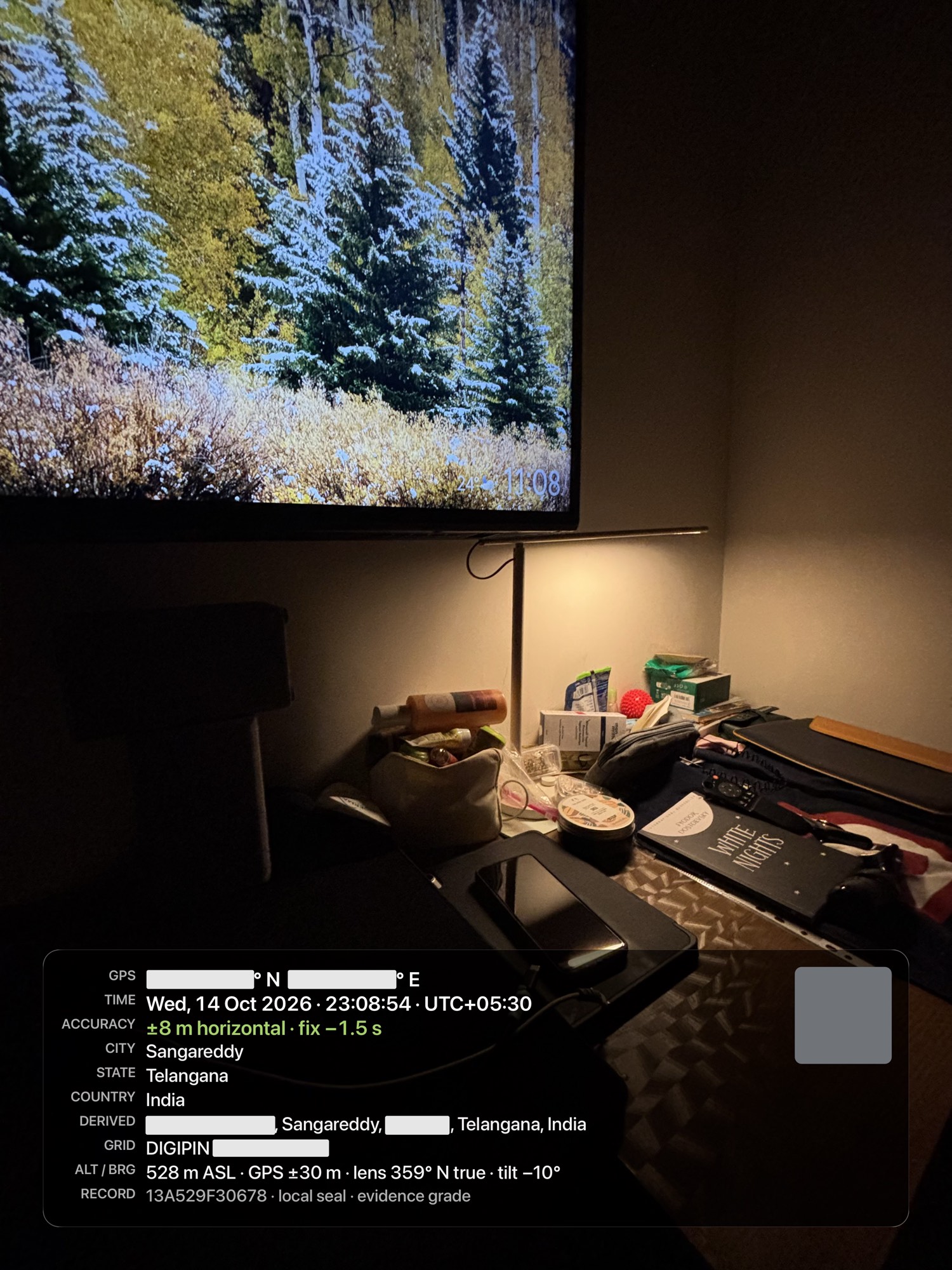
Point at a red pin to read the crit
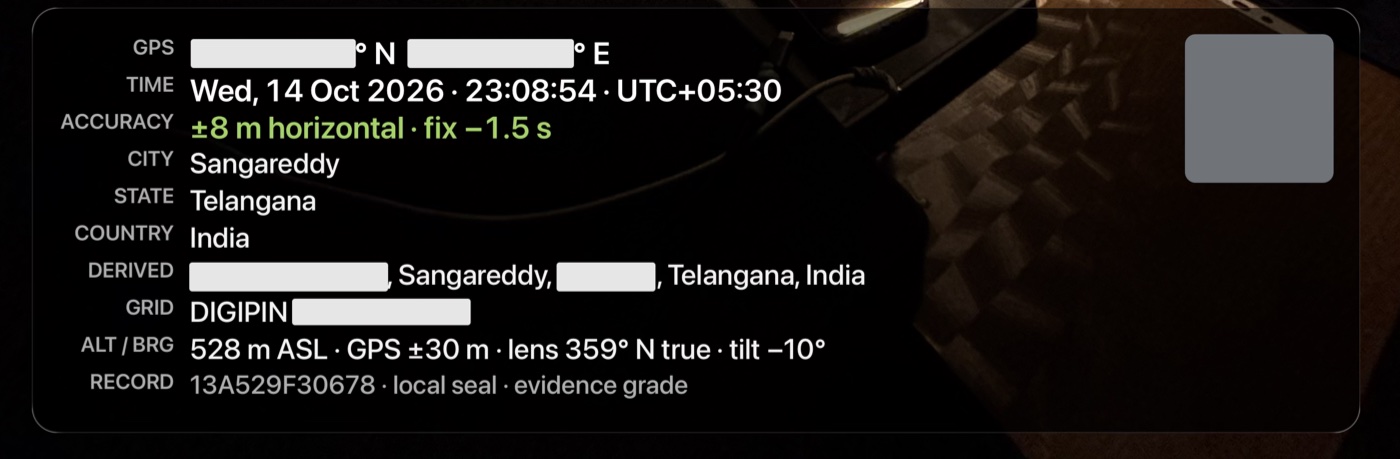
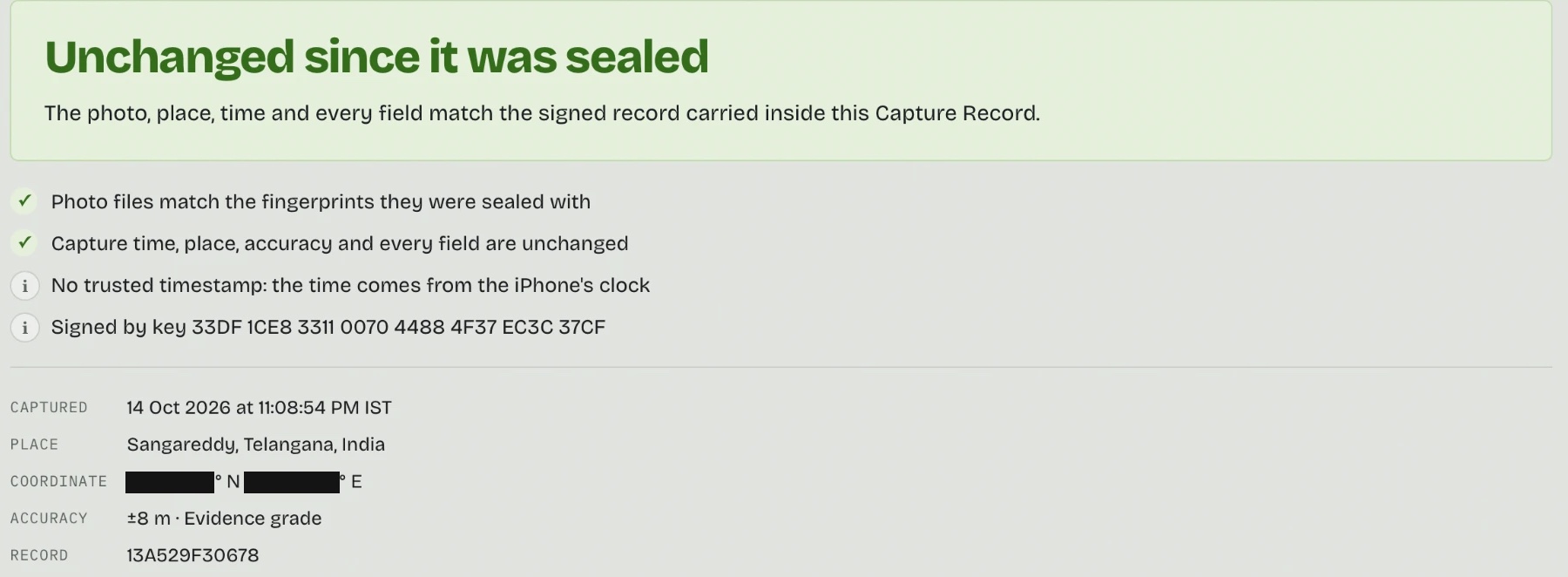
The bars are ours. Before putting this online we covered the coordinates, street, postcode, DIGIPIN, Plus Code and both maps. Nothing else was edited, so these copies no longer match the seal. That is what a seal is for.
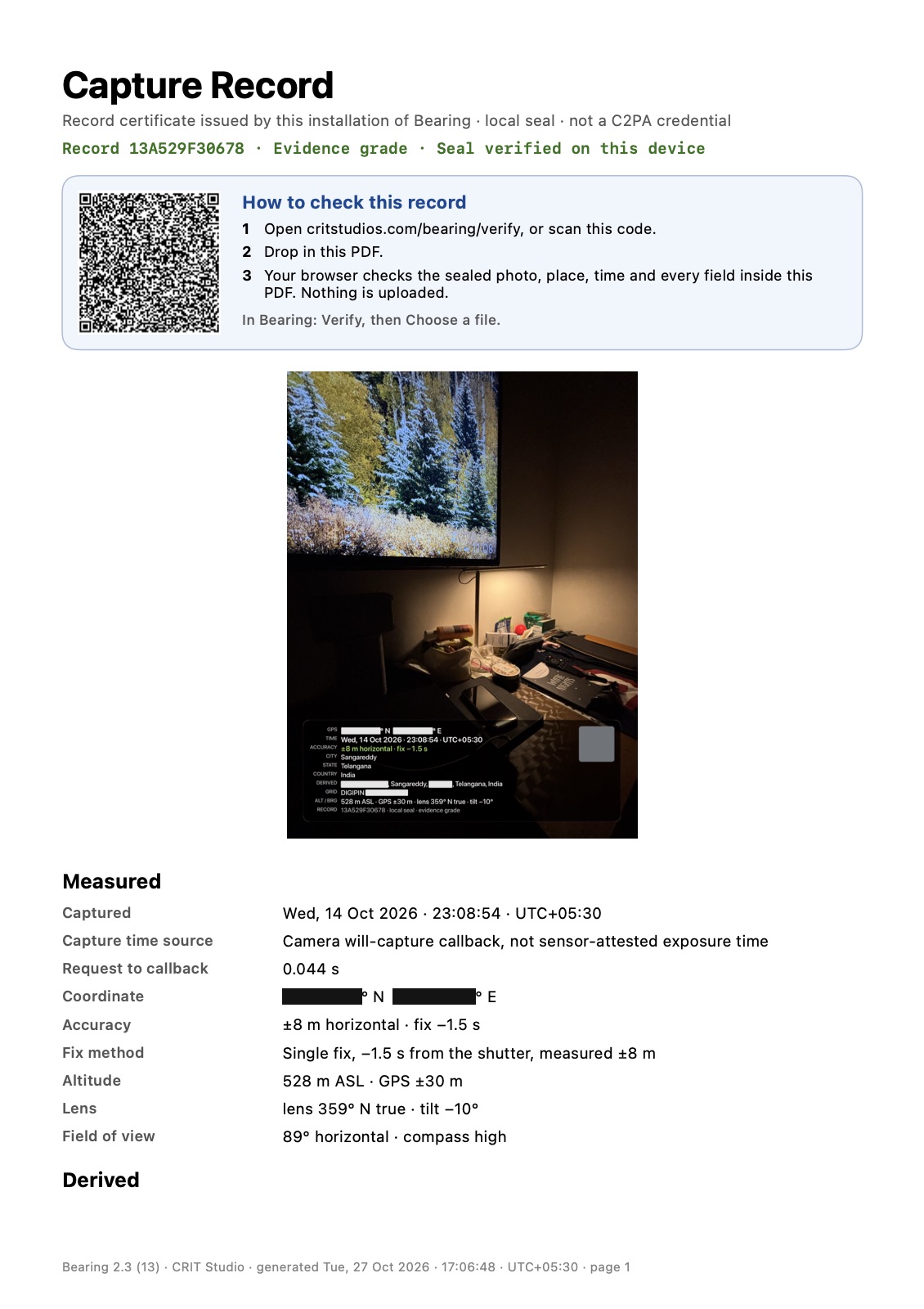
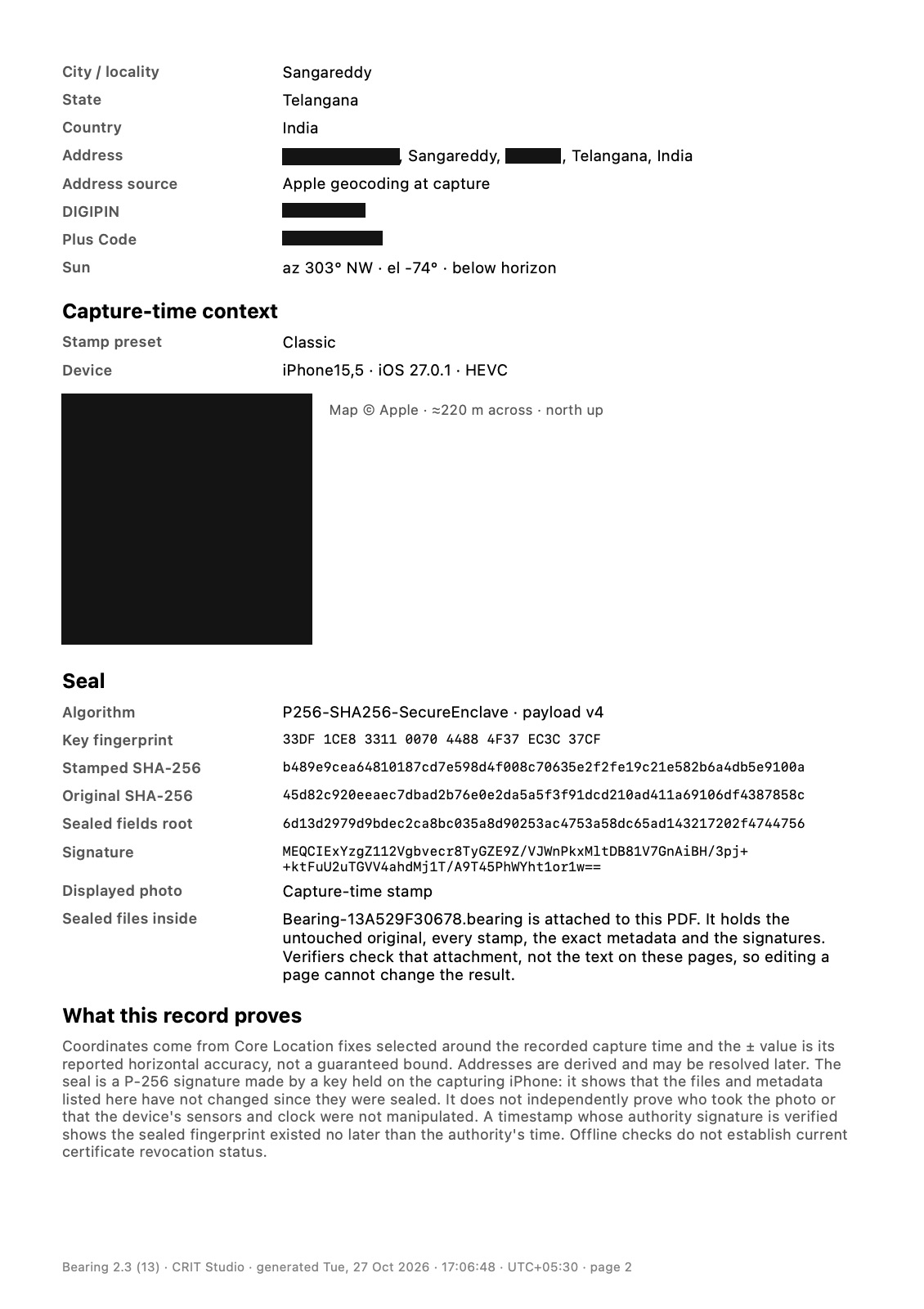
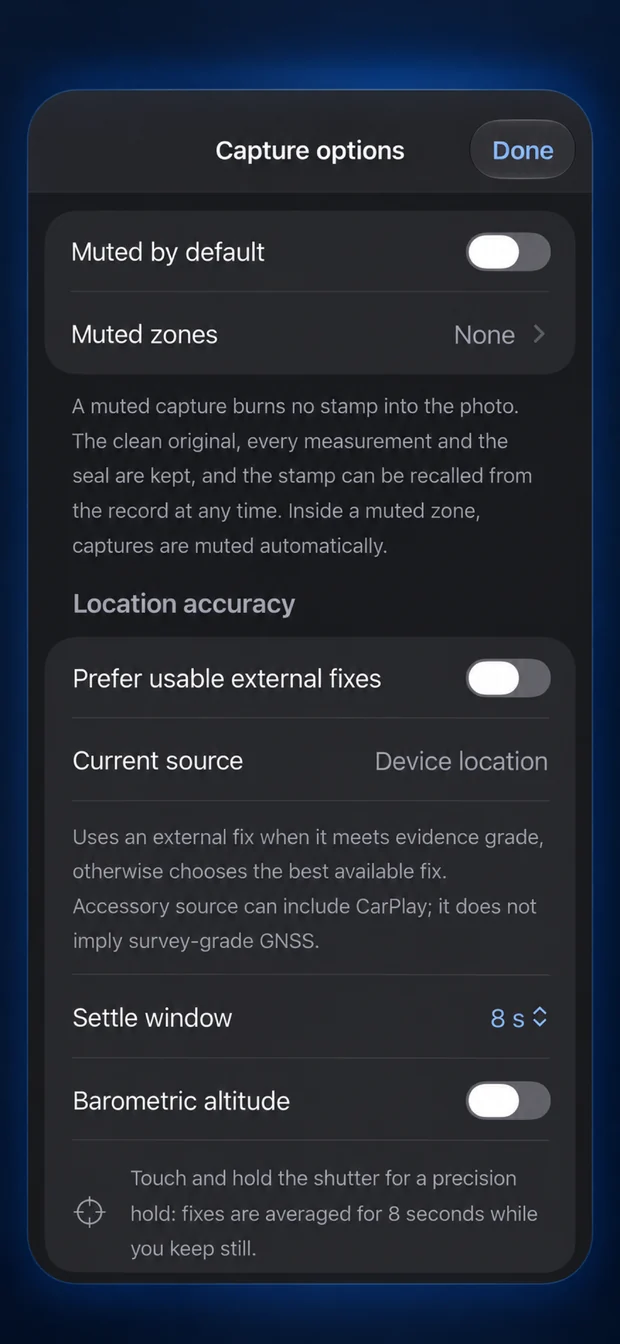
Photograph the repair or installation. Bearing keeps capture time and measured location with reported accuracy.
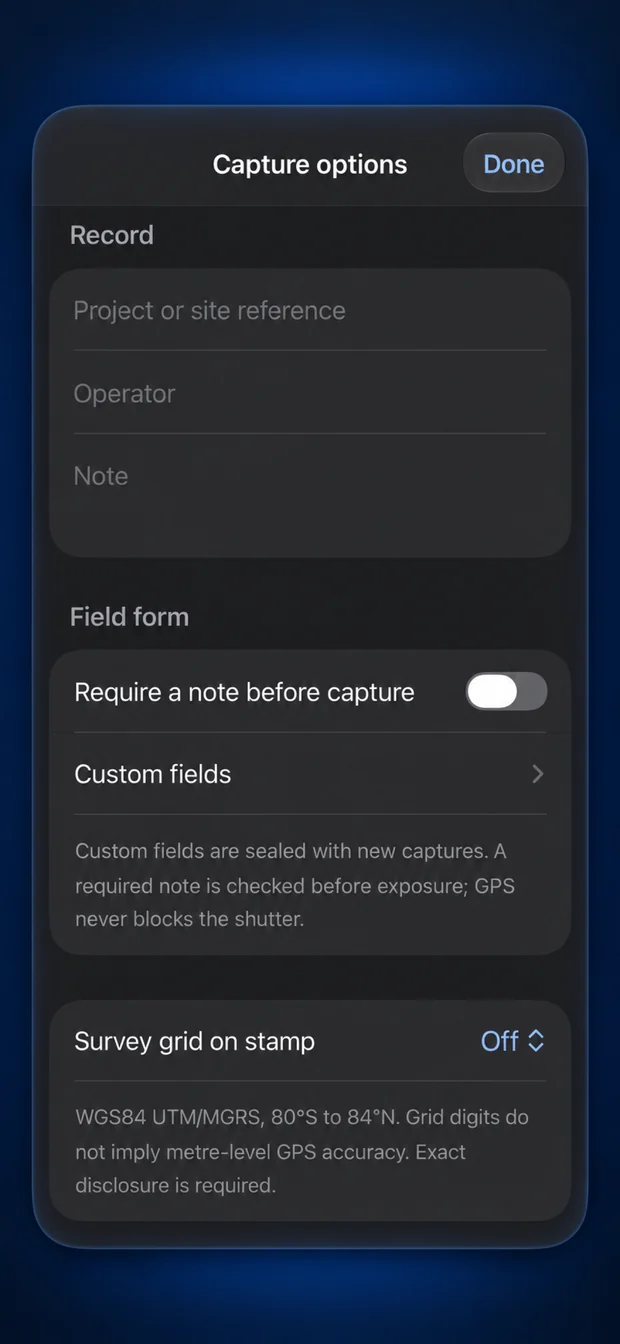
Keep a project reference and a note about what changed, while the details are fresh.
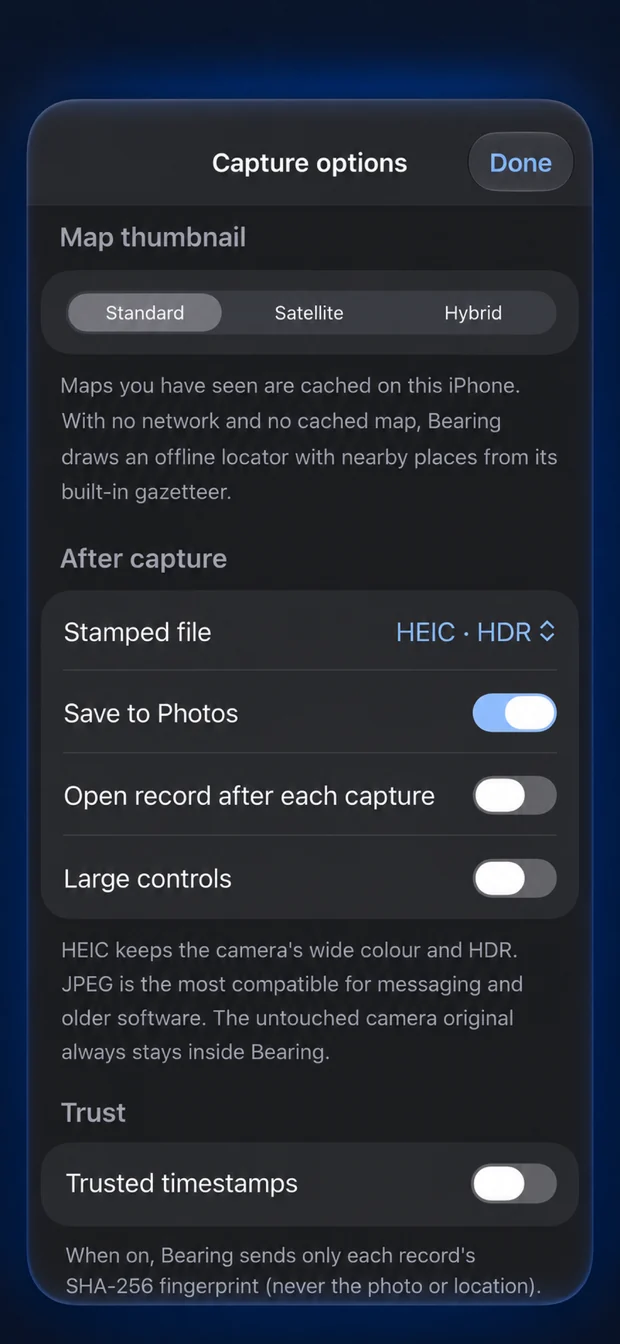
Select the photos for a PDF report. Share original files or a .bearing package when exact verification matters.
Keep the place, capture time and reported location accuracy with the photo you want to come back to.
A repair, a renovation, a handover. Add a note and project reference while the details are fresh.
Connect each photograph to measured location and your field notes, then share a useful report.
Actual Bearing screens. The phone follows the feature you are reading.
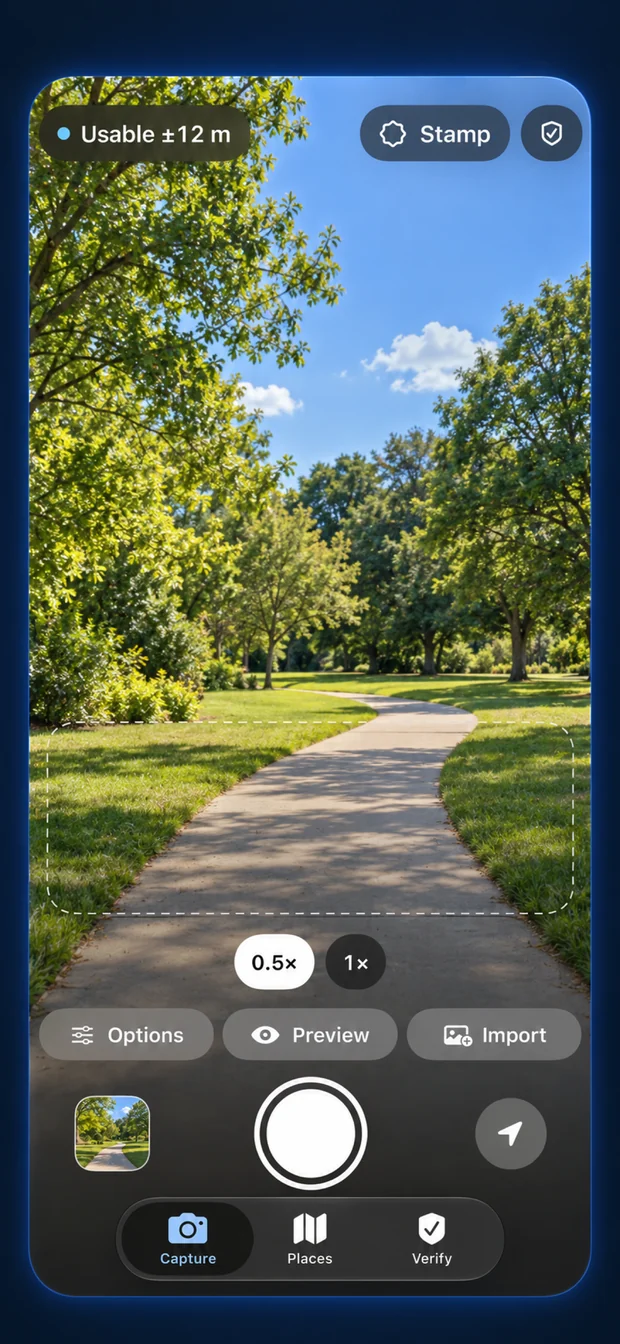
Press and the photo is taken. Bearing selects an available location fix around the recorded capture time while you carry on shooting.
Reported horizontal accuracy travels with the location. A stationary precision hold averages fixes over eight seconds; it does not make a phone a survey instrument.
Choose High contrast or Large text presets, and exact, rounded or hidden coordinates on the stamp. The underlying sealed record retains full precision.
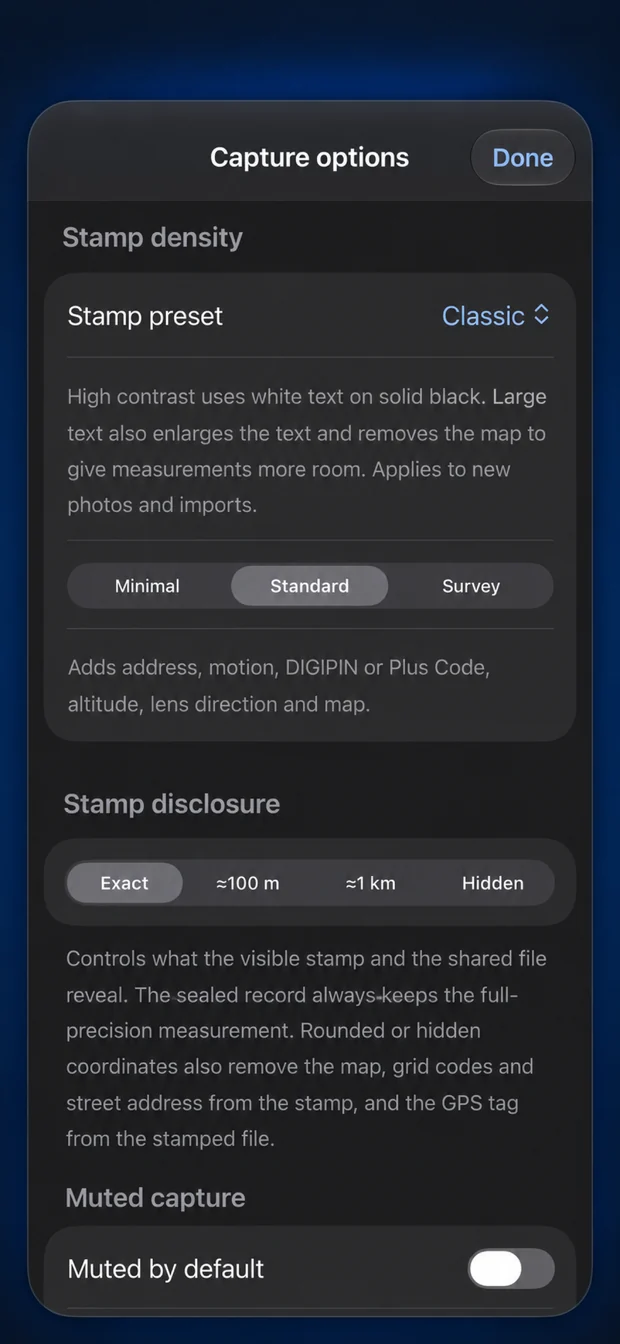
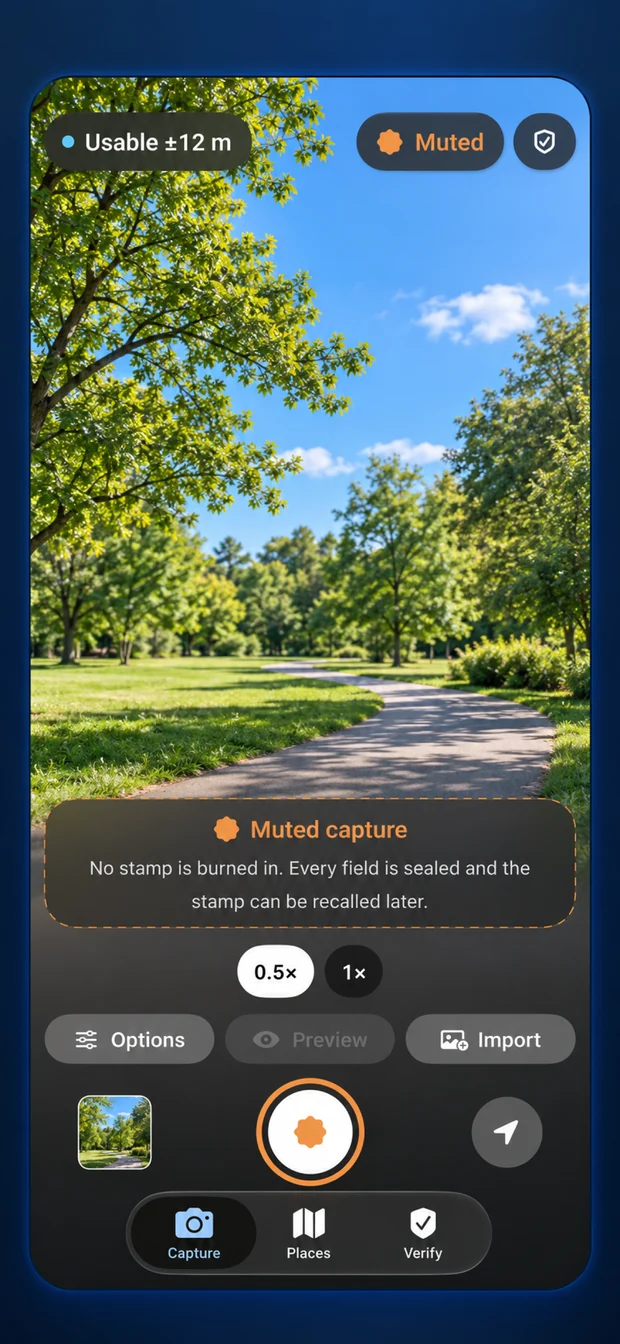
Muted Capture keeps the photo clean and its signed record available. Recall a stamp later, or use Muted Zones for places such as home.
Add a project reference, operator name, notes and custom fields. Missing imported details stay missing, and the source file stays unchanged.
Combine up to 100 records in one PDF, with photographs, available maps, measurements, notes and verification QR codes. Long entries continue across pages.
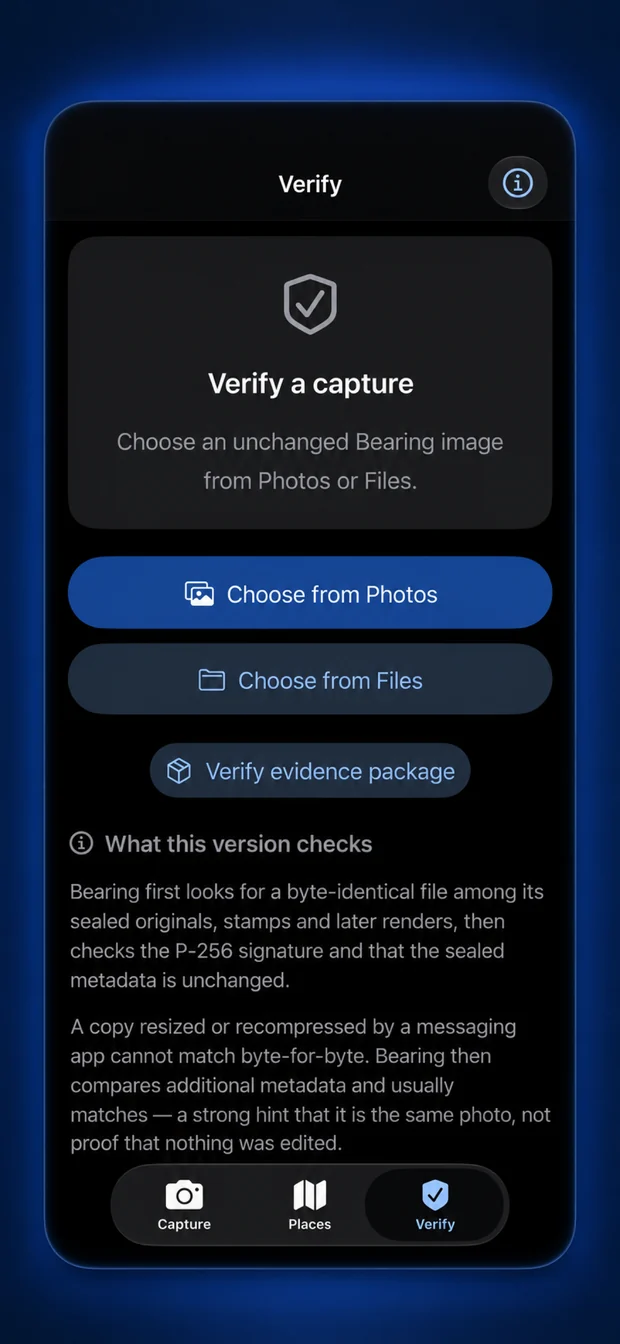
A Capture Record QR code opens browser verification. An exact match checks file integrity against the supplied signing key. In-app visual matching is a separate result.
HEIF 10-bit with HDR and up to 48 MP where supported. Hardware shutter options depend on your iPhone and connected accessories.
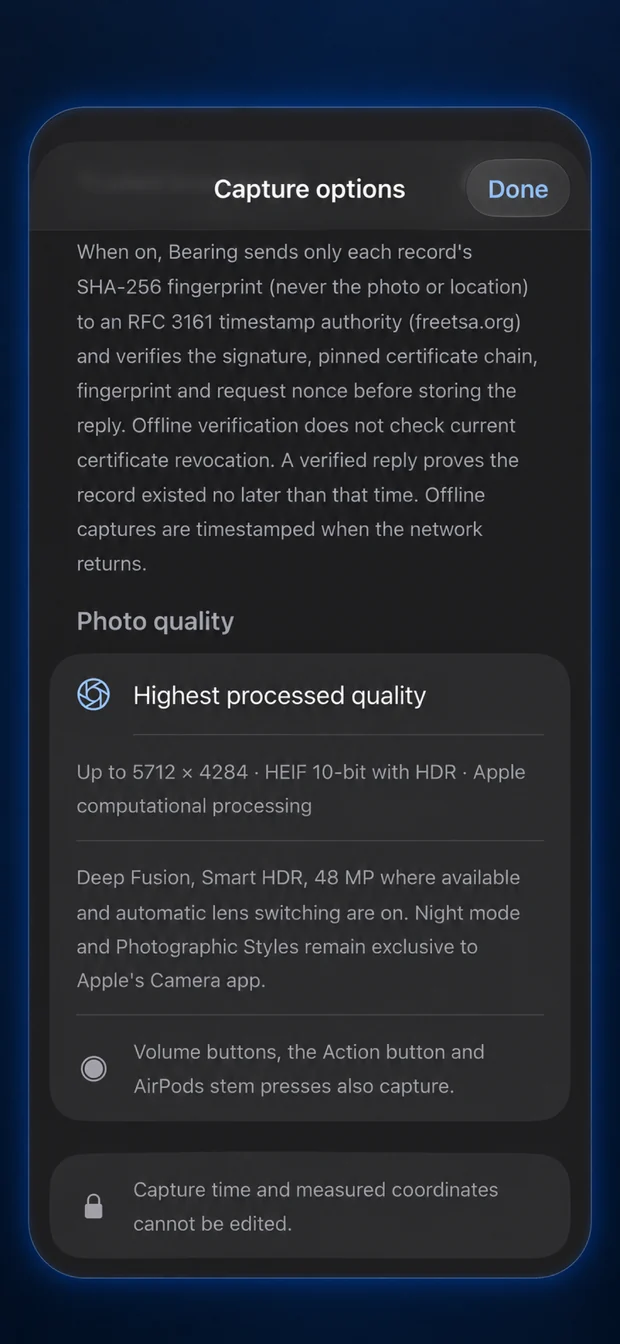
Use the PDF when someone needs to read the story. Keep the separate full-resolution files and signed records for exact verification. Messaging apps may resize or convert images, so share the original export through Files, or send a .bearing package. Browser checks run locally. Optional trusted timestamps receive a fingerprint of the record.
Open the check link shared from the Bearing app, or drop in its Capture Record PDF. Your browser checks the sealed time, place and photo. Nothing is uploaded.
Phone location has reported accuracy. A valid seal checks file integrity, rather than independently proving the photographer or location. Full-precision records can reveal location even when the stamp hides it.
A valid seal checks file integrity against the supplied key. It does not independently establish who took the photograph, whether the location was true or whether sensors were manipulated.
Bearing is not C2PA-certified.
Editing or recompressing changes the file hash, and visual similarity is not proof of an unchanged file.
Hiding coordinates on a stamp does not anonymise the full-precision record or evidence package. Review the file or report before sharing it.
Timestamp checks do not establish current certificate revocation status.
Trails use captured photos, with no background route tracking.
What changed once people used it. All releases ↗
A GPS field camera that records how accurate the location actually was, and seals every capture on the device.
Instant capture, motion-corrected position, offline place names with DIGIPIN, Muted Capture and a Capture Record PDF anyone can check.
Multi-photo PDF reports, accessible stamp presets and portable .bearing packages bring the campaign promise into everyday use.